
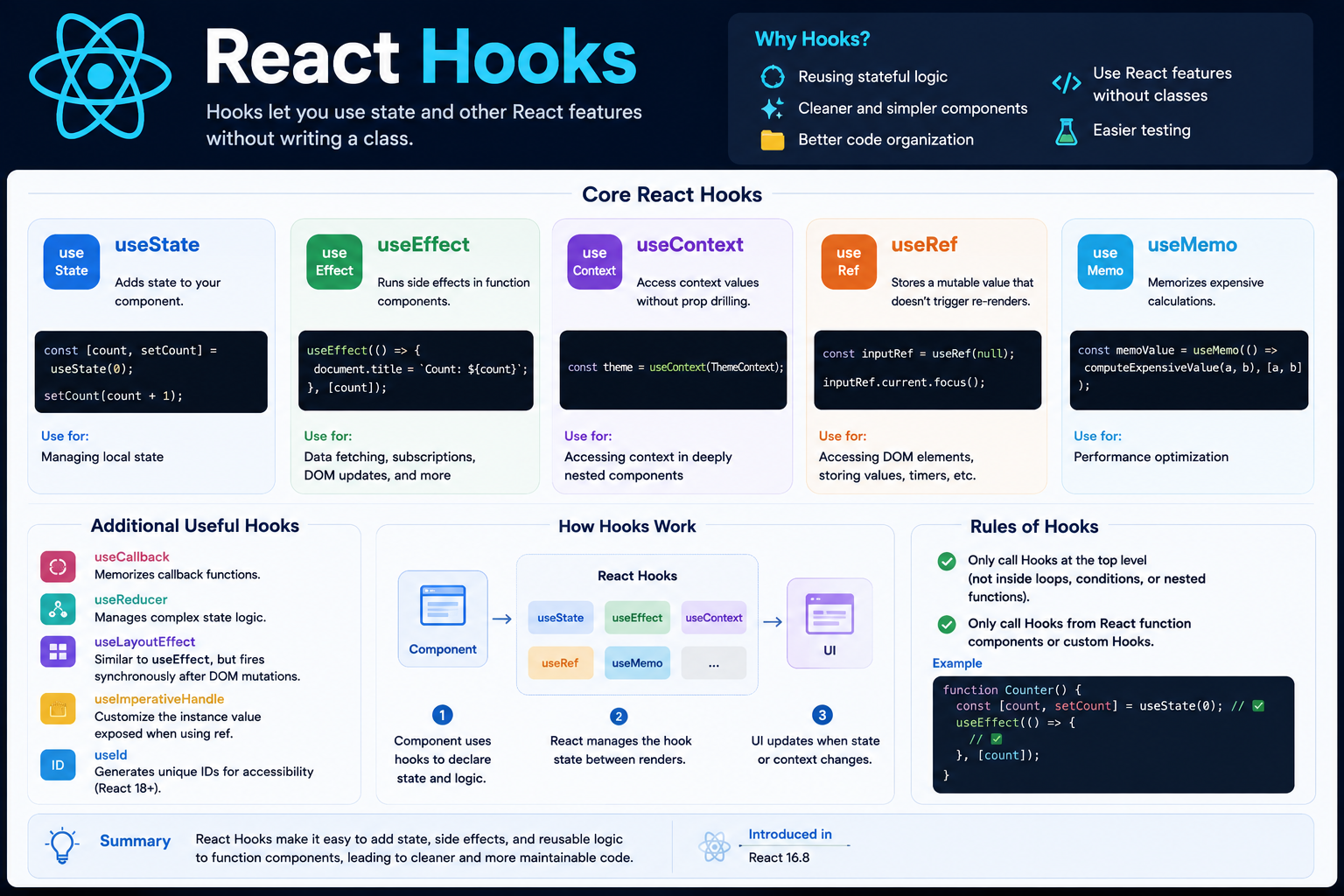
React Hooks
# Index
# Description
# What Are React Hooks?
# Why Were Hooks Introduced?
# useState
# useEffect
# useRef
# useMemo
# useCallback
# useContext
# Custom Hooks
# Rules of Hooks
# Common React Hooks
# When Should You Use Hooks?
# Description:
React Hooks are built-in functions introduced in React 16.8 that allow developers to use state, lifecycle features, and other React capabilities inside functional components without writing class components. Hooks simplify component logic, improve code reusability, and have become the standard approach for building modern React applications.
# What Are React Hooks?
Before Hooks, React developers often relied on class components to manage state and lifecycle methods.
For example:
- componentDidMount()
- componentDidUpdate()
- componentWillUnmount()
Hooks allow these features to be used directly inside functional components.
Example:
function Counter() {
- const [count, setCount] = useState(0);
- return (
- <button onClick={() => setCount(count + 1)}> Count: {count} </button>
- )
# Why Were Hooks Introduced?
Hooks solve several problems:
- Simplify component logic
- Eliminate the need for class components
- Enable reusable logic through custom hooks
- Reduce code duplication
- Improve readability
- Make components easier to test
Today, most React applications are built using Hooks.
# useState
useState allows components to store and update local state.
Example:
import { useState } from 'react';
- const [count, setCount] = useState(0);
- return (
- <button onClick={() => setCount(count + 1)}> Count: {count} </button>
- )
State updates trigger a re-render.
# useEffect
useEffect handles side effects such as:
- API calls
- Event listeners
- Timers
- Subscriptions
Example:
- useEffect(() => {
- document.title = `Count: ${count}`;
- }, [count]);
The effect runs whenever count changes.
Cleanup Example
- useEffect(() => {
- window.addEventListener("resize", handleResize);
- return () => {
- window.removeEventListener("resize", handleResize);
- };
- }, [count]);
Cleanup prevents memory leaks.
# useRef
useRef stores mutable values without causing re-renders.
Example:
const inputRef = useRef(null);
inputRef.current.focus();
Common uses:
- Access DOM elements
- Store timers
- Preserve previous values
# useMemo
useMemo memoizes expensive calculations.
Example:
const sortedUsers = useMemo(() => {
- return users.sort(compareUsers);
Benefits:
- Prevent unnecessary computations
- Improve performance
However, use it only when optimization is necessary.
# useCallback
useCallback memoizes functions.
Example:
const handleClick = useCallback(() => {
- console.log("Clicked");
Useful when passing callbacks to child components to avoid unnecessary re-renders.
# useContext
useContext provides access to shared state without prop drilling.
Example:
const theme = useContext(ThemeContext);
Common use cases:
- Themes
- Authentication
- Language preferences
# Custom Hooks
Custom Hooks allow reusable logic.
Example:
- function useWindowWidth() {
- const [width, setWidth] = useState(window.innerWidth);
- useEffect(() => {
- const handleResize = () => {
- setWidth(window.innerWidth);
- };
- window.addEventListener("resize", handleResize);
- return () => window.removeEventListener("resize", handleResize);
- }, []);
- return width;
- }
Now any component can use:
const width = useWindowWidth();
# Rules of Hooks
Hooks must follow two important rules:
1. Call Hooks at the Top Level
Correct:
- useState(0);
- useEffect(() => {});
Avoid:
- if (condition) {
- useEffect(() => {});
- }
2. Use Hooks Only Inside React Components or Custom Hooks
Correct:
- function Component() {
- const [count] = useState(0);
- }
Avoid:
- function helper() {
- useState(0);
- }
# Common React Hooks
| Hook | Purpose |
|---|---|
| useState | State management |
| useEffect | Side effects |
| useRef | Mutable references |
| useMemo | Memoize values |
| useCallback | Memoize functions |
| useContext | Shared state |
| useReducer | Complex state management |
| useLayoutEffect | Synchronous effects |
| useId | Unique IDs |
| useTransition | Non-blocking updates |
# When Should You Use Hooks?
Hooks are suitable for:
- State management
- API calls
- Event listeners
- Form handling
- Performance optimization
- Shared logic through custom hooks
They are the preferred way to build modern React applications.
Article Metadata:
Published Date: 2026-07-20
Updated Date: 2026-07-28
About the Author: Team absequ is a group of engineers and researchers working on real-world systems, software development, and technology solutions.